Does Esports Manager 2026 include map veto?
Yes. Tournament flow includes pick-and-ban before Simulation Mode series. Ban maps your roster weakens on; protect comfort picks.
Esports Manager 2026 tactics guide — Tactic Creator, eco and force buys, timeouts, and Simulation Mode calls.
Map-specific setups, force-buy timing, and timeout calls that separate average Esports Manager 2026 runs from title pushes.
Esports Manager 2026 is not won in the transfer hub alone. Matches play out in Simulation Mode — a live CS2-style layer where map veto, buy decisions, tactic presets, and timeout calls decide whether your scouting budget actually converts to trophies.
Steam advertises thousands of configurable tactics through the Tactic Creator, plus halftime talks and timeout trees. This Esports Manager 2026 tactics guide explains the decision loop: build per-map plans, align roles with map confidence, manage economy like a real IGL, and test setups before Majors.
If you are fresh from the demo or beginner guide, use this page as your match-day reference. Pair it with the players database when assigning lurkers and entries.
The Tactic Creator splits planning by side (CT / T) and by Active Duty map. Each map supports strategy families — aggressive, defensive, and control — with multiple round scripts inside every family. Aggressive sets lean on fast hits; control sets prioritize map presence and utility timing; defensive setups anchor retakes.
Name your presets clearly (`Mirage-A-Default`, `Nuke-CT-Stack`) so analysts can suggest counters before LAN events. Early-round, mid-round, and late-round phases can carry different execute paths; mid-round flexibility matters when defaults get picked apart.
Steam's marketing cites thousands of combinations because small tweaks — lurker timing, support depth, AWPer anchor — multiply quickly. You do not need hundreds saved on day one. Start with one trusted T exec and one CT setup per map in your comfort pool, then branch.
Abandon copy-paste strats across maps. A Mirage aggressive hit does not translate to Nuke yard takes without repositioning roles and utility priorities in Esports Manager 2026.
| Strategy | Style | Round goal |
|---|---|---|
| Aggressive | 🔥 | Fast space · early picks |
| Control | 🎯 | Map presence · late utility |
| Defensive | 🛡️ | Anchor sites · retake focus |
Every Esports Manager 2026 player carries per-map confidence grades. The Tactic Creator only shines when assignments respect those numbers — forcing a low-confidence entry fragger onto aggressive Mirage execs produces missed timings in Simulation Mode.
Adjust roles map by map: keep a passive lurker on Mirage while pushing the same player deeper on Dust 2; pull support players back on maps where utility chains matter more than first-contact duels. When executions clean up, mid-round calls start making sense without micromanaging every click.
Weapon preferences interact with buys. AWP mains expect economic investment; rifle specialists tolerate eco rounds better. Match those expectations when you set default buys inside each tactic preset.
Cross-reference player names and map tabs on the players database before you lock a Major playbook.
Tournament prep in Esports Manager 2026 opens with pick-and-ban. Your side chooses bans first on some formats, then negotiates the playable map. Ban anchors where your roster has thin confidence; protect maps where your AWPer and IGL both rate highly.
Active Duty locations include Dust, Mirage, Inferno, Nuke, Ancient, Overpass, Train. Demo and early careers punish teams that dodge training on weak maps — veto can only hide problems for so long.
Track opponent tendencies in analyst reports when available. If a rival always bans Nuke, prep Mirage and Inferno executes instead of wasting practice time on dead veto paths.
| Veto phase | Tag | Goal |
|---|---|---|
| Ban 1 | 🚫 | Remove opponent comfort pick |
| Ban 2 | 🚫 | Hide your thinnest map |
| Pick | ✅ | Secure anchor for your IGL |
| Decider | 🎲 | Train deciders in preseason |
Esports Manager 2026 tracks CS2 economy: pistol, eco, semi-buy, force buy, and full buy rounds. The Simulation UI shows team money — every call needs a reason, because the engine punishes random force habits hard.
Eco rounds rebuild bank for full utility; semi-buys bridge lost pistols; force buys become strategic weapons when breaking opponent economy matters more than saving for a distant full buy. Two well-timed force rounds can cascade into round wins that paper stats never predicted.
Align buys with your chosen tactic family. Aggressive force buys need flash support; control forces need smoke timing. If players cannot afford utility, downgrade the tactic or save.
Analyst staff who flag opponent eco habits pay for themselves across a Esports Manager 2026 season — pair their reports with your buy panel before close series.
| Buy type | Priority | When to use |
|---|---|---|
| Eco | B | Rebuild after lost pistol · save guns |
| Semi-buy | A | Bridge rounds · light utility |
| Force | S | Break enemy economy · must-win swings |
| Full buy | S | Match point · balanced bank |
Timeouts are not cosmetic. Use them before decisive rounds to reorganize buys, swap tactic families, or calm tilt after a lost clutch. Esports Manager 2026 mirrors broadcast pacing — you have limited stops per half, so spend them on economy resets and morale spikes, not routine rounds.
Halftime talks boost morale when utilized well. Entering side two with stable confidence matters against stronger opponents whose raw aim outclasses yours on paper. Sports psychologists on staff amplify these modules between weeks.
Pair timeout calls with the Talk module in career mode when locker-room tension rises — trait clashes surface faster during losing streaks.
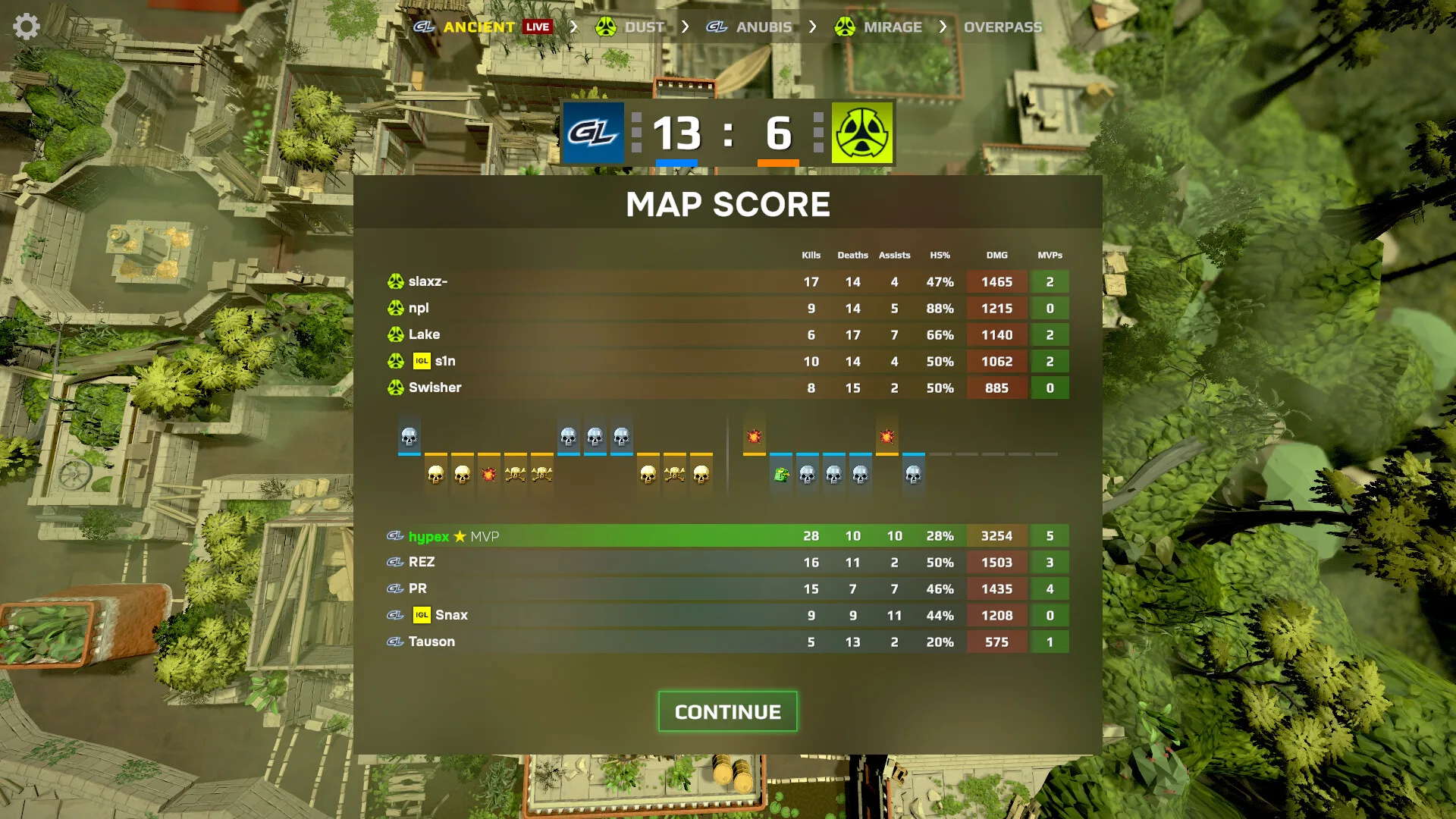
Simulation Mode renders rounds in real time with kill feed, optional caster packs, and full tactical overlays. Pause to read positioning; change camera angles; toggle player portraits; adjust simulation speed; open live stat panels for damage, utility, and money.
Before pistol rounds, select a tactic within your strategy family. During rounds, watch how executes unfold — if a lurker arrives late three times, tweak the preset instead of blaming RNG.
Post-series reports list ADR, headshot rate, and MVP highlights. Feed those numbers back into training focus and transfer targets. Simulation is the feedback loop that validates your Esports Manager 2026 tactics guide choices.
| Control | Icon | Use |
|---|---|---|
| Pause | ⏸️ | Read setups · fix calls |
| Speed | ⏩ | Farm demos · slow for learning |
| Stats | 📊 | Track economy · damage |
| Camera | 🎥 | Study trades · utility lineups |
Paper tactics fail. Simulate friendlies, review round logs, adjust roles, and re-test before you trust a preset in a Major qualifier. The difference between untested defaults and refined map books is consistency — fewer panic mid-round swaps, cleaner utility timing.
Rotate roster pieces during dense calendars so stars arrive rested. Academy players, loans, and bench swaps keep competitive level while protecting star map confidence — especially when Esports Manager 2026 schedule density spikes in spring.
Chemistry beats raw rating when strats require trade timing. Scout for synergy on the player tier list before you import another solo star who refuses your exec paths.
When everything clicks, each player elevates the others — that is when your Esports Manager 2026 tactics investment pays off beyond a single highlight reel.
Yes. Tournament flow includes pick-and-ban before Simulation Mode series. Ban maps your roster weakens on; protect comfort picks.
Steam cites thousands of configurable combinations via the Tactic Creator. Start with one CT and one T preset per map, then expand.
Buy decisions happen at round start. Use timeouts to align economy before the next rifle round.
Run aggressive pistol defaults with simple full buys afterward. Graduate to control families once you read economy overlays comfortably.
Matched by build plan, shared topics, and guide progression — not random related links.