What Is Esports Manager 2026?
Esports Manager 2026 is a PC esports management simulation from Neurona Games, published by indie.io on Steam (July 6, 2026). A strategy-simulation game where you take charge of a competitive esports organization — scout players, manage contracts, develop talent, hire staff, grow your brand, and compete for championship titles. The game focuses on Counter-Strike 2 competition — you scout real pros, negotiate contracts, hire analysts and coaches, and steer live rounds in Simulation Mode.
This Esports Manager 2026 beginner guide is written for managers opening their first save: how to finish a legal starting five, schedule training without burning morale, register for your first event, and survive the opening economy in Simulation Mode. Every system below exists in the full game; most also appear in the free Steam demo.
Treat this page as your on-ramp Esports Manager 2026 guide — not a tier list or transfer spreadsheet. We link deeper hubs when you need roster data, but the focus here is day-one habits that prevent restart fatigue.
Before you follow any step, confirm you own or downloaded the correct Steam app — search Esports Manager 2026 on the Steam store and install the demo if you want a risk-free trial.
Create or Take Over in Esports Manager 2026
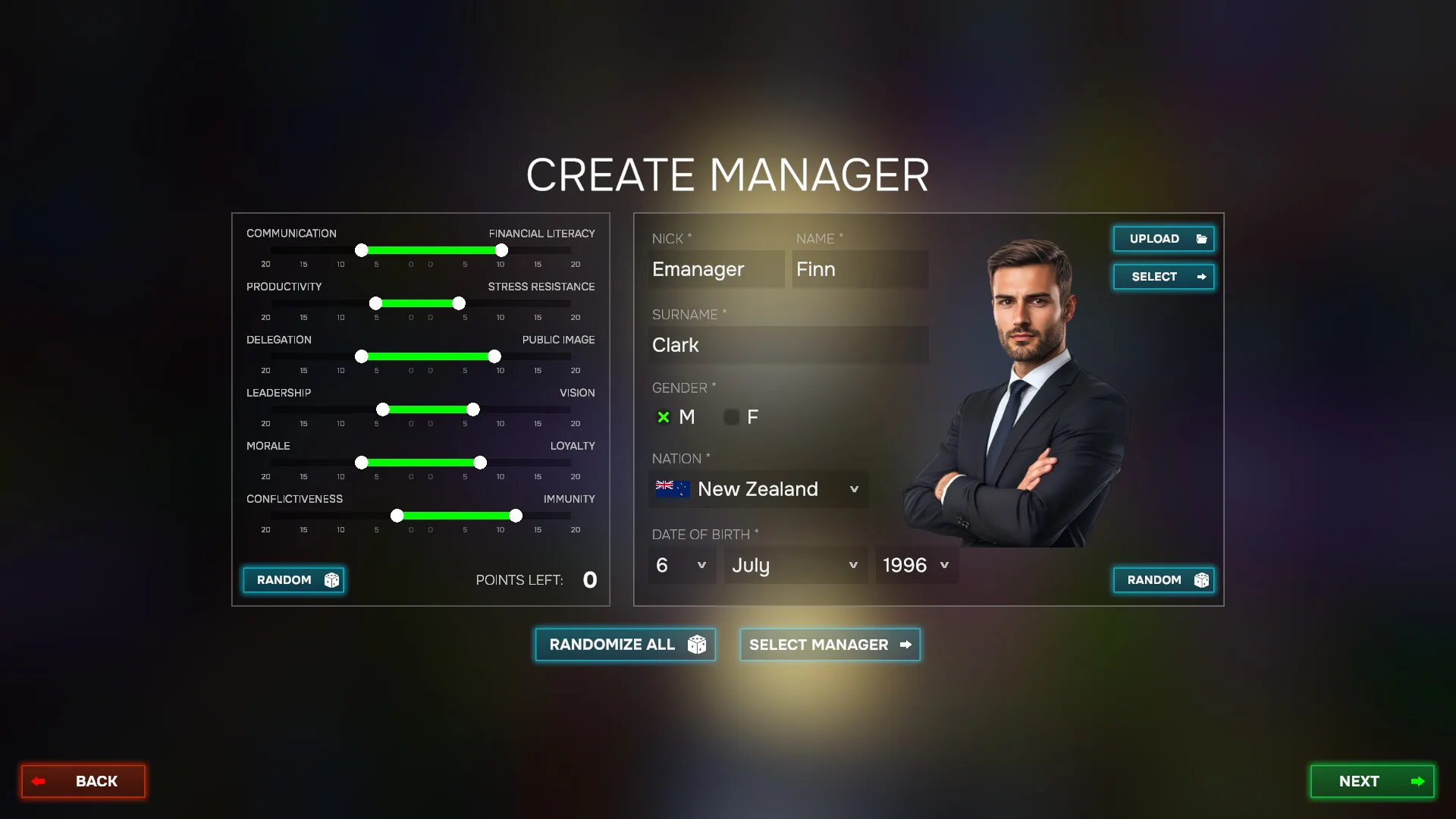
When you start Esports Manager 2026, the career wizard asks whether to create a new organization or take over an existing franchise. Creating offers blank branding and a modest budget but weaker name recognition. Takeover saves give you real rosters, existing staff, and sponsor relationships — at the cost of inherited problems like short contracts or low morale.
IGN's June 2026 demo coverage named playable takeovers including Eternal Fire, Copenhagen Wolves, M80, and GamerLegion. Publisher materials also highlight legacy clubs such as Ninjas in Pyjamas and Passion UA. If you want a gentler learning curve, pick a takeover with a near-complete lineup so you can focus on training and match day instead of emergency scouting.
Whichever path you choose in Esports Manager 2026, your immediate goal is identical: field a legal five-player active roster, assign backroom staff, and register for an upcoming qualifier before the transfer window closes. This beginner guide section compares paths so you do not restart after ten in-game days.
| Path | Starting budget | Best for |
|---|---|---|
| Create org | Lower · full control | Branding fans · long saves |
| Takeover | Varies by team | Faster first matches · real stars |
| Demo run | Same systems · 1 month cap | Testing before purchase |
Build Your First Esports Manager 2026 Roster
Open the Roster tab after the tutorial. Many Esports Manager 2026 takeover saves start with only four active players — CS2 rules require five on the server. Head to Scouting to browse the global player pool: filter by role, age, contract status, and asking price.
Each prospect profile shows combat ratings, map confidence, preferred weapons, and personality traits. Click Contract to draft an offer. Your scout and lawyer staff comment on fairness — heed warnings about overpaying or offering too short a term. Players often counter with minimum contract length (12 months is common in early careers).
Negotiate until both sides accept, confirm the transfer, and wait a few in-game days for the signing to complete. Move the new hire into your active roster slot. Repeat until five starters are set. Cross-check names and teams on our players database if you want a paper comparison before spending budget.
Early Esports Manager 2026 careers rarely need superstars. Prioritize role coverage: one IGL, one AWPer, and three flexible riflers or support pieces. You can upgrade individual positions after your first prize money hits the account.
Best pairings for this guide
Matched by build plan, shared topics, and guide progression — not random related links.
Staff, Bootcamp & Training
Backroom staff shape how fast your Esports Manager 2026 roster improves. Coaches drive technical training blocks; analysts sharpen opponent prep; sports psychologists stabilize morale after losses. Steam's feature list treats these hires as essential — not luxury — for consistent Simulation Mode results.
Before heavy training weeks, visit the Shop to upgrade bootcamp gear — chairs, peripherals, and facility items boost training efficiency. The tutorial nudges you to replace basic equipment early; even one upgrade can bump weekly attribute gains.
On the Training page, review coach technical ratings and each player's development menu. Use Auto Schedule to fill the calendar when you are learning the UI, then switch to manual plans once you understand stamina costs. Over-training shows up later as tired players and sloppy executes.
Your coach may message you with promised training focus for a specific player — fulfill those requests to keep staff happiness high. Broken promises in Esports Manager 2026 can snowball into locker-room tension before your first LAN.
- Do01Try the free Steam demo before buying — it covers scouting, contracts, roster building, staff hiring, and live simulation.
- Do02Decide early whether to create a new org or take over an existing team; each path changes starting budget and roster quality.
- Do03Hire analysts and coaches before stacking star signings — backroom staff affects training and scouting reports.
- Do04Use weekly training plans to balance skill growth with morale; burnout shows up in Simulation Mode performance.
- Do05Read contract length and salary cap before confirming multi-player transfer windows.
Register & Prepare for Events
The home hub tracks global rankings, upcoming tournaments, and esports news. When your roster is match-ready, open the Tournament browser and register for a qualifier within your budget and travel range. The event page lists registered teams, prize esports points, and schedule slots.
Between matches, use the skip days control when nothing is on the calendar — handy in Esports Manager 2026 demo runs where the one-month cap rewards efficient pacing. Watch your inbox for sponsor messages, staff requests, and federation notices.
Pre-match preparation includes map veto. Active Duty maps in Esports Manager 2026 mirror the CS2 pool — Dust, Mirage, Inferno, Nuke, and more. Ban maps your roster weakens on; protect anchors where your AWPer or IGL has high confidence.
Loadout and tactic selection happen after veto. Aggressive, defensive, and control strategy families each contain multiple round plans. Beginners can lean aggressive on T-side pistol rounds, then review post-round stats to see whether patience would have paid off.
| Phase | Icon | Manager focus |
|---|---|---|
| Registration | 📋 | Prize pool vs travel cost |
| Veto | 🗺️ | Ban weak maps · keep comfort picks |
| Prep | ⚙️ | Strategy family · player roles |
| Match day | ▶️ | Simulation calls · timeouts |
Simulation Mode Basics
Simulation Mode is the live match layer of Esports Manager 2026. Rounds play out in real time with CS2-style economy: pistol, eco, force, semi-buy, and full-buy decisions appear each round. You can pause, change camera angles, toggle player portraits, adjust simulation speed, and open live stat panels for damage, utility, and money.
Before rounds start, pick a tactic within your chosen strategy. Aggressive sets emphasize fast hits; control sets prioritize map presence and late-round utility. Switching families mid-half is possible but costs prep time — read the tactics guide when you want deeper Tactic Creator workflows.
During rounds, call timeouts to regroup after unexpected picks. Force-buy when the series is on the line; eco when the bank cannot support full utility. Post-match reports surface ADR, headshot rate, and MVP highlights — use them to target training before the next Esports Manager 2026 fixture.
Optional caster packs add flavor commentary without changing outcomes. Treat them as atmosphere, not strategy gospel. Your buy decisions and tactic picks still decide whether the season continues.
Budget, Sponsors & Growth
Every Esports Manager 2026 decision runs through your balance sheet. Player salaries, staff wages, bootcamp purchases, and travel invoices drain cash; prize money, sponsor bonuses, and merchandise revenue refill it. After your first event, open the Sponsors hub to claim milestone bonuses tied to placement or social reach.
Stronger brand influence unlocks better sponsor tiers — which in turn funds the star signings you spotted on the player tier list. Do not chase marquee AWPers until recurring income can cover their wages across a full season.
If you started in the demo, treat month one as a sandbox: experiment with one big transfer, one staff hire, and one tournament run. Then carry lessons into a full Esports Manager 2026 purchase or a new takeover on the best starting teams page.
What to read next
You now have a complete first-month loop for Esports Manager 2026: scout the fifth player, schedule training, register for events, and pilot Simulation Mode with basic economy sense. Depth comes from repetition — run the demo twice with different takeovers to see how roster quality changes your veto choices. Bookmark this Esports Manager 2026 beginner guide if you start additional saves with new orgs.
Continue with the demo guide for install steps, the players database for role breakdowns, and updates for launch pricing and Steam review trends. When you want filterable lookups between matches, bookmark the player search tool from the site header — it mirrors the scouting filters you use in career mode.
More guides that pair well
Matched by build plan, shared topics, and guide progression — not random related links.